Build a whole site from a sentence
Say what the site is for. Quilzo builds all of it, leaves blank every fact only you know, and publishes nothing until you fill those in.
In the adminMake
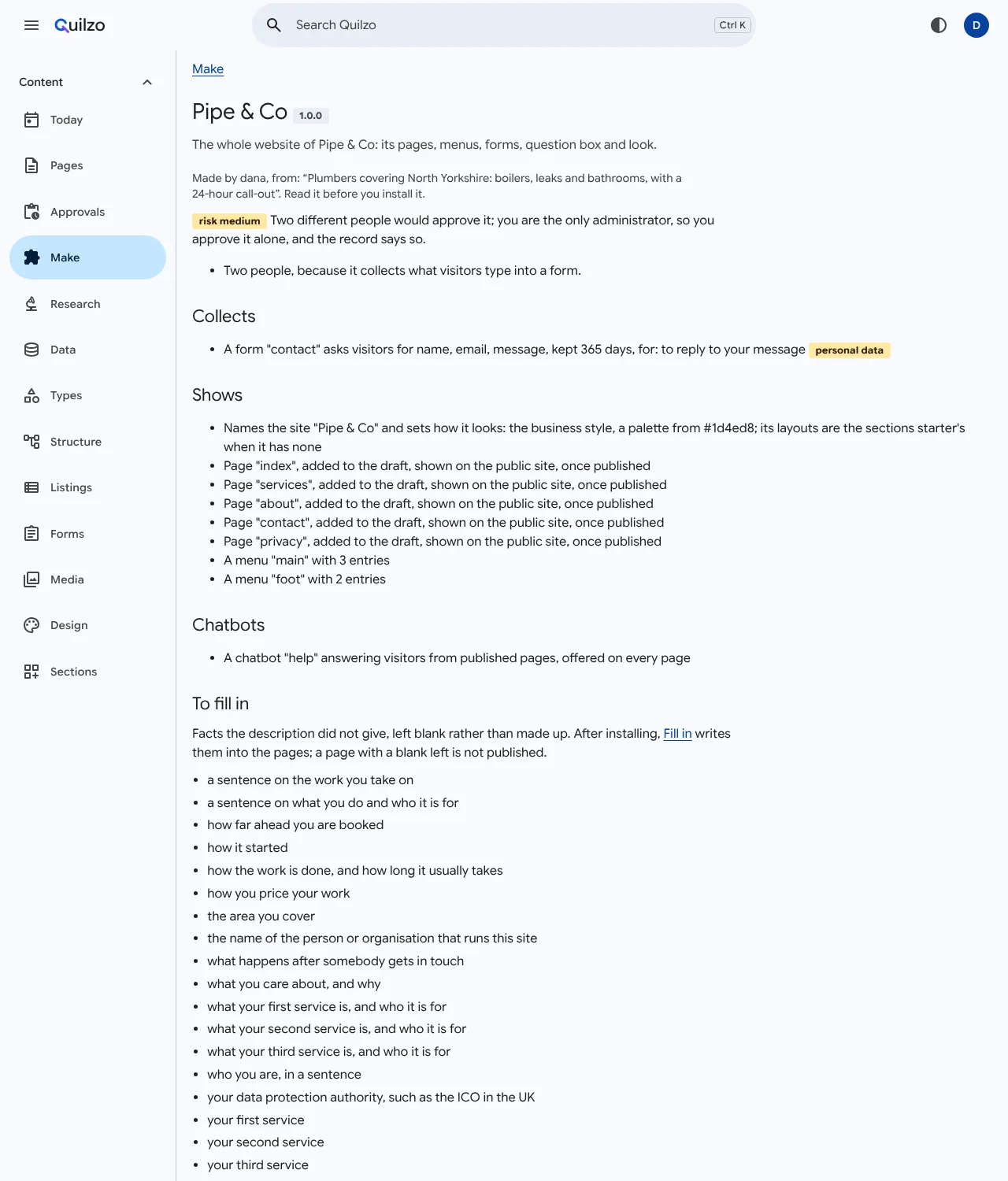
A site package is a feature that declares a whole site: its name and look, its pages, its menus, its forms and its question box. The site builder writes one from a sentence. You read it, install it as one decision, fill in what only you know, and publish.
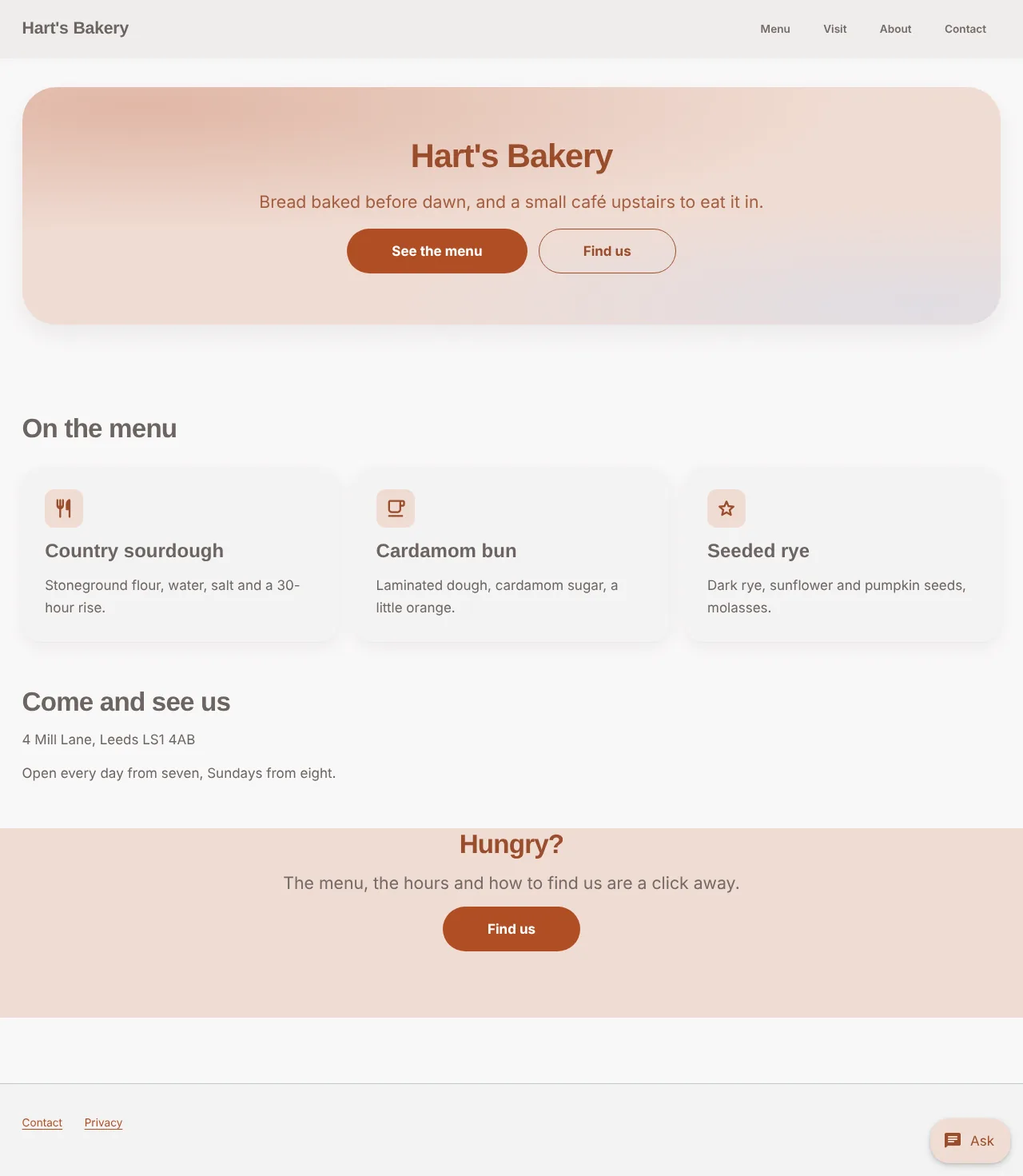
Build it
quilzo site new "Our bakery in Leeds: sourdough, rye and pastries, with a small café" \
  --name "Hart's Bakery" --install
quilzo site fill                                   # what only you know
quilzo site fill "your address=4 Mill Lane, Leeds LS1 4AB"
quilzo publish
In the admin, Make › Build a whole site asks the same: what the site is for, what it is called, and optionally the kind of site, a style and a main colour. Without --install, the package is written to a file for you to read first.
| Kind | Pages besides About, Contact and Privacy |
|---|---|
business | Home with what you do, how it works and questions; What we do |
product | Home with what it does and questions; How it works; Pricing |
restaurant | Home with dishes and where to find you; Menu with prices and allergens; Visit with opening hours |
portfolio | Home with selected work; Work, with how a commission goes |
community | Home with what you do and how to join in; Get involved, with a form to volunteer |
event | Home with what to expect and questions; Programme; Register, with a form |
The kind is read from the description when you do not choose one (quilzo site kinds lists them). Every site also gets main and footer menus, a contact form, a question box that answers from the site's own pages, a privacy page and a look whose every colour is checked for contrast.
What a model writes, and what it cannot change
When a model is allowed (see Models), it rewrites the builder's start for your description: headings, leads, cards, steps, questions and answers. Its answer is then held to that start, and the card lists every change:
- the name, style and colour you chose win over the model's;
- the home page, the contact page, the contact form and the question box come back if it drops them;
- a link anywhere but the site's own pages is taken out, and so is a section of a kind that would not render or a form that fails its checks;
- agents, webhooks, roles, members-only pages and other layouts are never kept;
- the question box answers from the site's pages without a model, with no handoff and no embedding;
- the privacy page is always the builder's.
Without a model, or with --no-model, you get the builder's start, which needs a name.
Nothing is made up
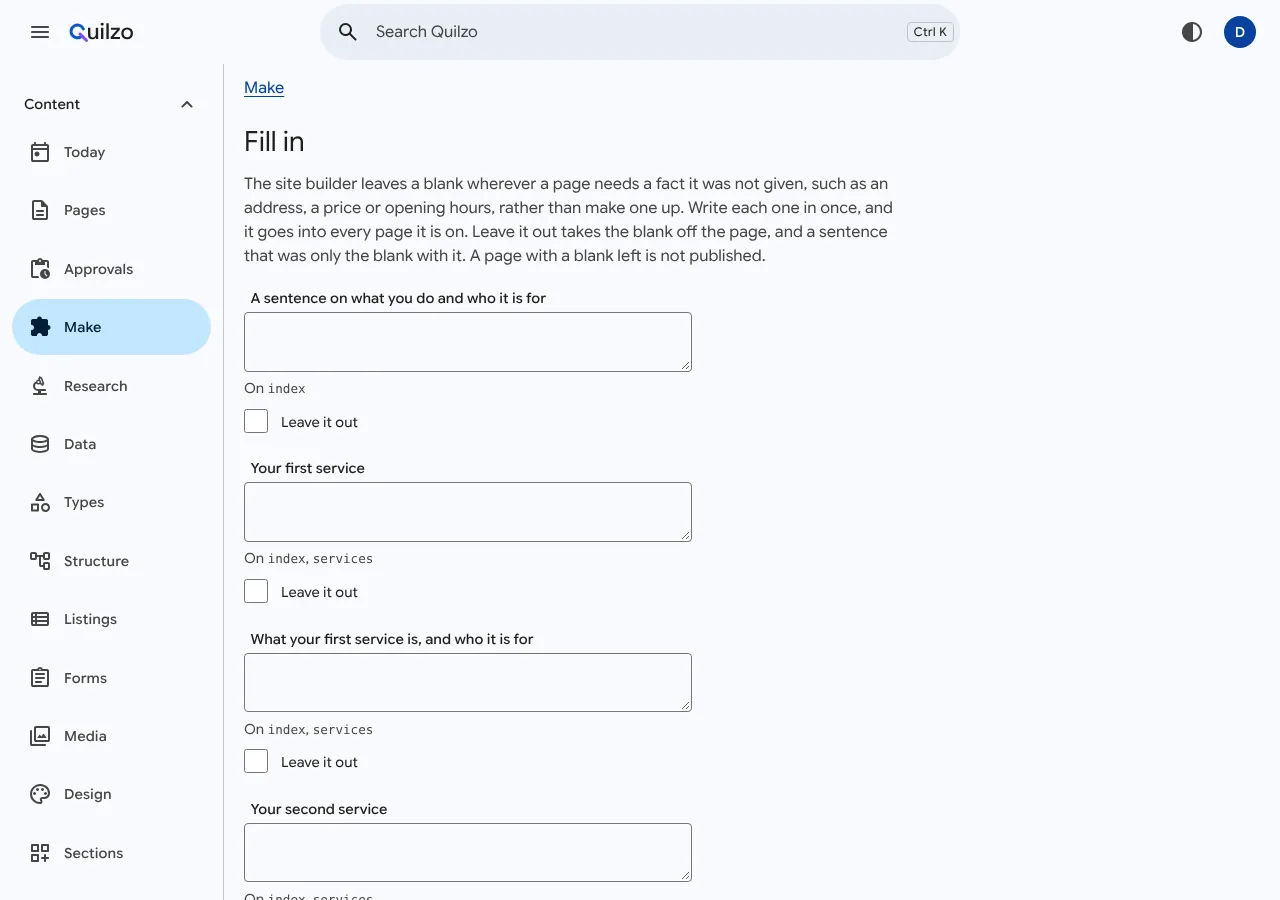
A price, an address, opening hours, a date, a person's name or words, a figure: when the description does not give one, the page says [[what goes here]] instead, such as [[your opening hours]]. The card lists them before you install.
Make › Fill in, or quilzo site fill, lists every blank in the draft in the order the site is read, with the pages it is on. Write each one once and it goes into every page it is on. Leave it out takes the blank off the page, and a sentence that was only the blank with it.
A page that still holds one of the blanks a site package was built with is not published: the blanks gate refuses it on every surface, and cannot be waived. Square brackets you wrote yourself, such as [[ -f file ]] on a page about shell scripts, are not blanks.
The privacy page
The privacy page is written from the package, not by the model, so it says what the site does: who runs it (a blank), every form with what it asks for, why, on what lawful basis and for how long, what the question box keeps, and that visits are counted as daily totals with nothing kept that identifies anybody. It is written again whenever the site is built.
Marked for how it was written
Installed pages carry a provenance record, so the AI-content disclosure is right without anybody setting it (see Provenance):
- pages a model wrote are
trainedAlgorithmicMedia, and disclose it; - pages the builder wrote without a model are
algorithmicMedia; - once you fill them in, they are
compositeWithTrainedAlgorithmicMediaorhumanEdits, with you as their author.
How a package was written is taken from this installation's own record of what its builder made. A package from elsewhere is believed only when it says a model wrote it.
An agent as the site crew
An agent connected over MCP (see Connect AI apps) can do the building too, and a person still decides what goes in:
| Operation | What the agent can do |
|---|---|
site_build | Build a whole site from a description, as the builder does without a model. |
site_import | Bring a live site in by its address (see Bring your site), leaving its pictures behind. |
propose_feature | Propose a package it wrote, such as a booking form or a directory, checked as an install would check it. |
site_blanks, site_fill | List what is left to fill in, and fill it with facts you gave it. |
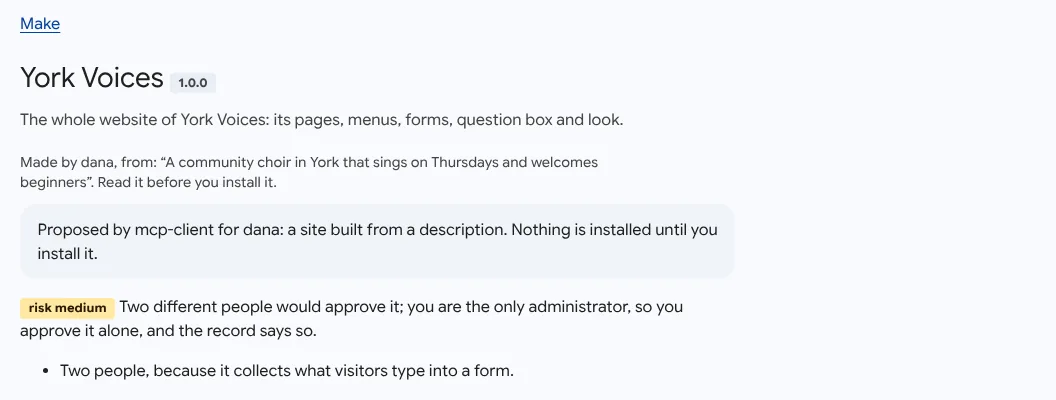
Building, bringing in and proposing install nothing. What the agent made waits under Make › Proposed for you, on Approvals and in quilzo feature proposals, until you read its card and install it as your own decision, with the same approvals as anything you bring. The agent counts as nobody: a site with a contact form still needs two people, or the only administrator on the record.
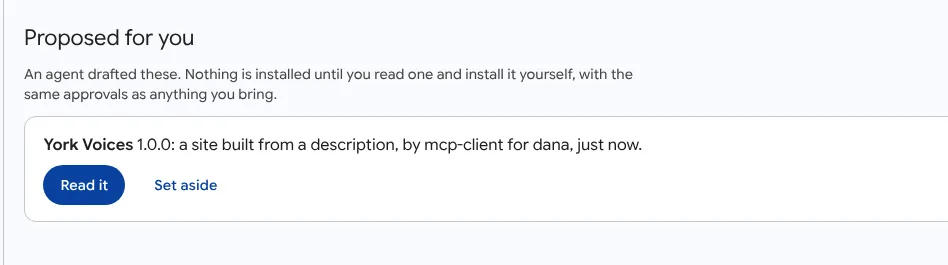
- A newer proposal of the same package replaces the older one, at most twenty wait, and one nobody reads lapses after two weeks. Set aside removes one unread; an agent cannot.
- An agent's import leaves pictures behind, because the site serves and signs whatever is in the media library: nothing an agent brings is kept before you decide. Bring the site in from Make to keep them.
- Pages an agent filled in are marked
compositeWithTrainedAlgorithmicMedia, and the pages of a package an agent wrotetrainedAlgorithmicMedia, so the disclosure says a model wrote them. A blank it cannot fill stays one, and keeps its page from being published. - Filling in checks each page it changes, so a page you have kept from somebody stays theirs to leave alone, whoever fills in its blanks.
Install, take over, take back
A site package installs like any feature (see Make). Its contact form collects what visitors type, so a second administrator approves it; a store with one administrator approves it alone, and the record says so. One package owns the site. A site whose name or look somebody set by hand is taken over only with --take-site, or Let it take over the site, and removing the package puts it back as it was. The layouts stay, because a site with none renders nothing.