A RAG chatbot that answers from your pages and cites its sources
Answers from what you have published, a citation on every sentence, and a person when the visitor wants one.
In the adminChatbotsInbox
A Quilzo chatbot is retrieval-augmented generation (RAG) over your own published pages. It retrieves passages by keywords and by meaning, answers only from them, and puts a citation on every sentence. With a model connected, each sentence is checked against the passage it cites and dropped if the passage does not support it. Without a model it answers extractively, quoting the passages. Nothing a visitor asks is stored.
Create a chatbot
-
Name it and choose what it reads
Open Content › Chatbots and fill in New chatbot. By default a chatbot reads every published page. Limit it to the pages it should know about, so it cannot answer from a page you did not mean it to read.
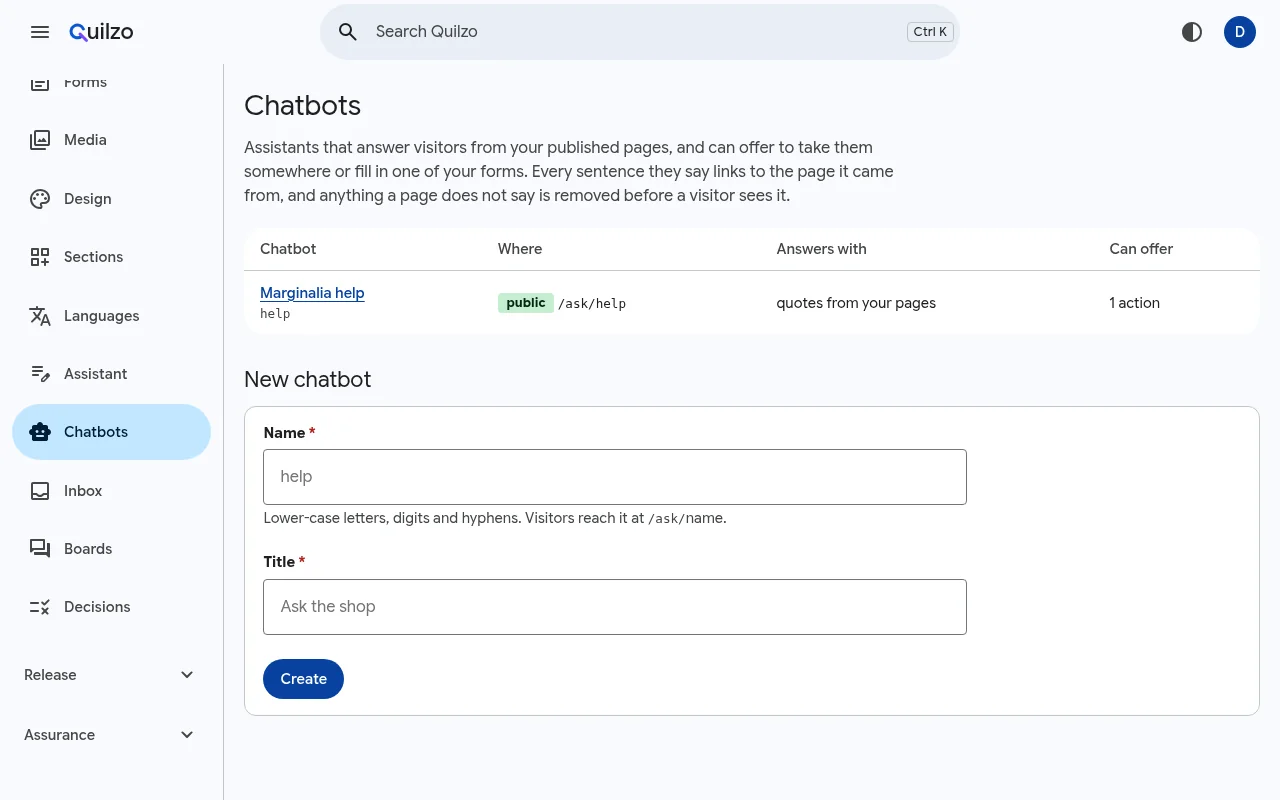
Your chatbots, and a new one. From the command line, the same chatbot with everything turned on:
quilzo assistant add help --title "Marginalia help" \
  --greeting "Ask about orders, delivery and returns." \
  --pages returns,delivery,about,stockists,wholesale \
  --public --launcher \
  --suggest "Can I return opened ink?|How long does delivery to Canada take?|Where can I buy in person?" \
  --handoff --voice --translate
Option What it does --pages,--excludePage prefixes it may, and may not, read. --documentsFiles from the media library it may also read, such as PDFs. --modelAnswer with the configured model, every sentence checked against its source. Without it, answers are extractive. --publicServe it on the site at /ask/NAME.--launcherPut a button on the site's pages that opens it beside the page. Style it with --launcher-style,--launcher-sideand--panel.--embedOther sites allowed to show it in a frame. --staticAnswer on static copies of the site too, in the visitor's browser, from published pages only. --handoffLet a visitor ask for a person. The conversation goes to the Inbox. --voice,--translateSpeech and translation on the visitor's own device, where the browser offers them. --suggest,--nudgeQuestions offered before the first, and a short line shown beside the button once a visit. -
Try it before anybody else does
On the chatbot's page, ask something under Try it. You see the answer, every passage it retrieved with its keyword, vector and heading rank, and anything it was not allowed to read. Or:
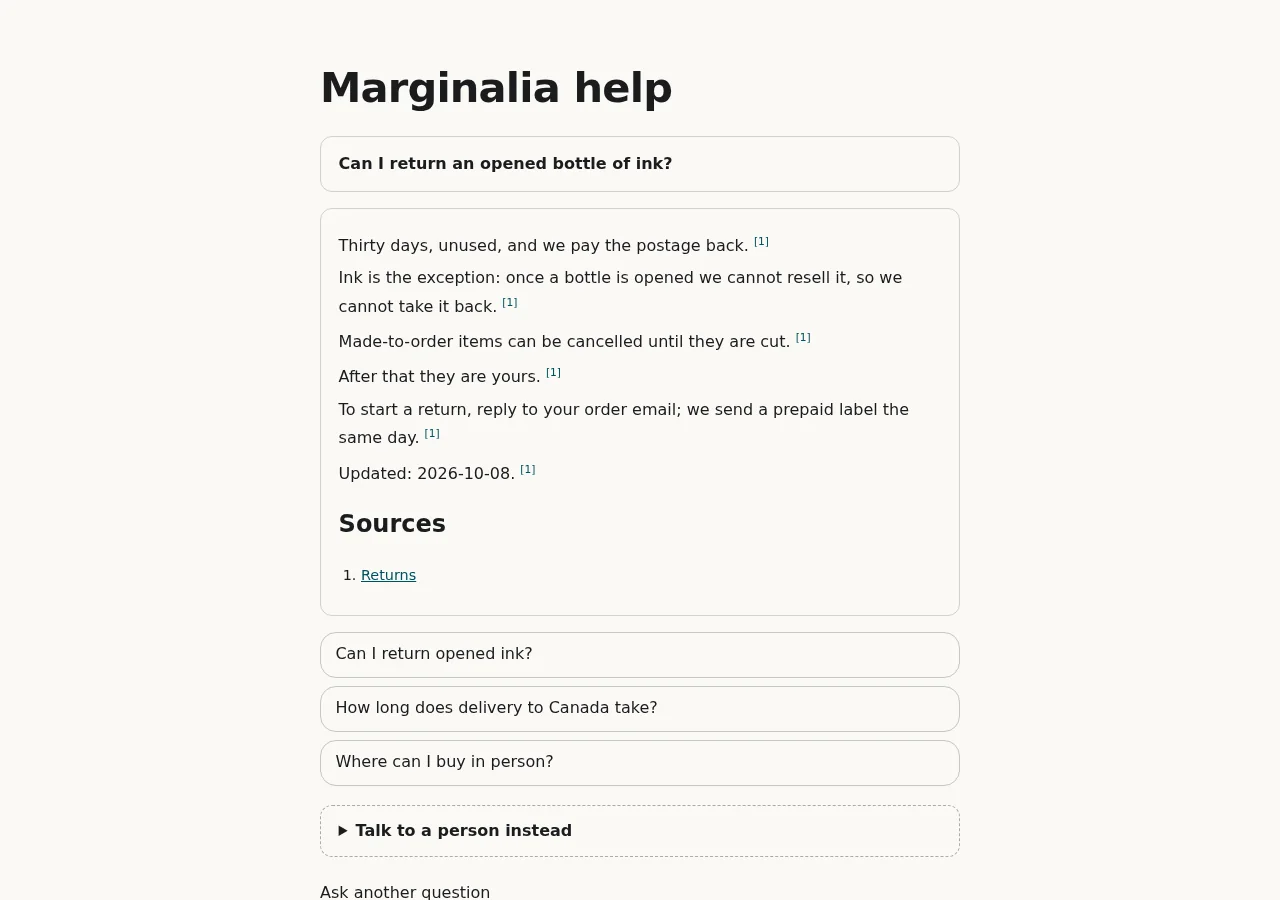
quilzo assistant ask help "Can I return an opened bottle of ink?"Thirty days, unused, and we pay the postage back. [1] Ink is the exception: once a bottle is opened we cannot resell it, so we cannot take it back. [1] … [1] Returns (returns) [2] Delivery (delivery) extractive mode — extractive by declaration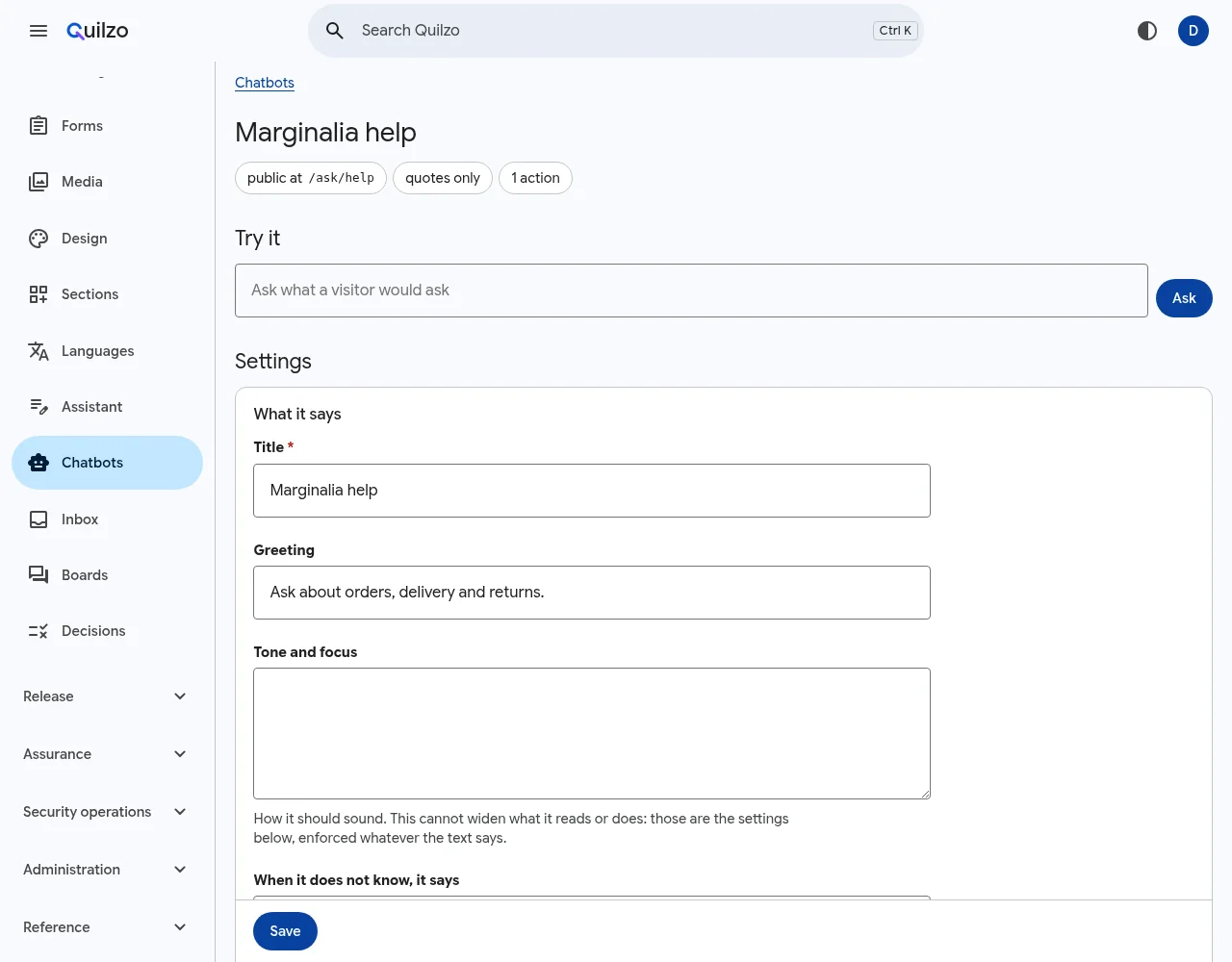
Each chatbot's settings and its test console. -
Measure it
Write questions you know the answers to, with the page each should come from, and questions the site does not answer, which it should refuse. A test set of only answerable questions rewards a chatbot that always answers, which is the opposite of what a site wants.
{"question": "Can I return an opened bottle of ink?", "page": "returns", "contains": ["ink"]}
{"question": "How long does ink take to reach Canada?", "page": "delivery"}
{"question": "What is the weather in Lisbon?"}
quilzo assistant eval help cases.jsonl3 case(s): 2 answerable, 1 not right page first 1/2 right page retrieved 1/2 (MRR 0.50) answered 1/2 refused correctly 1/1 sentences removed 0 refused "How long does ink take to reach Canada?", which delivery answersThat last line is a real finding: the Delivery page says ink goes "outside Europe … by surface", and the question says "Canada". Rewording the page, or turning on
--model, is the fix, and the evaluation says when it worked.
Put it on the site
A public chatbot has its own page at /ask/NAME. Every sentence links to its source, and the page tells visitors they are talking to an automated assistant, as Article 50 of the EU AI Act requires.
With --launcher, a button on every page opens the chatbot beside what the visitor is reading:
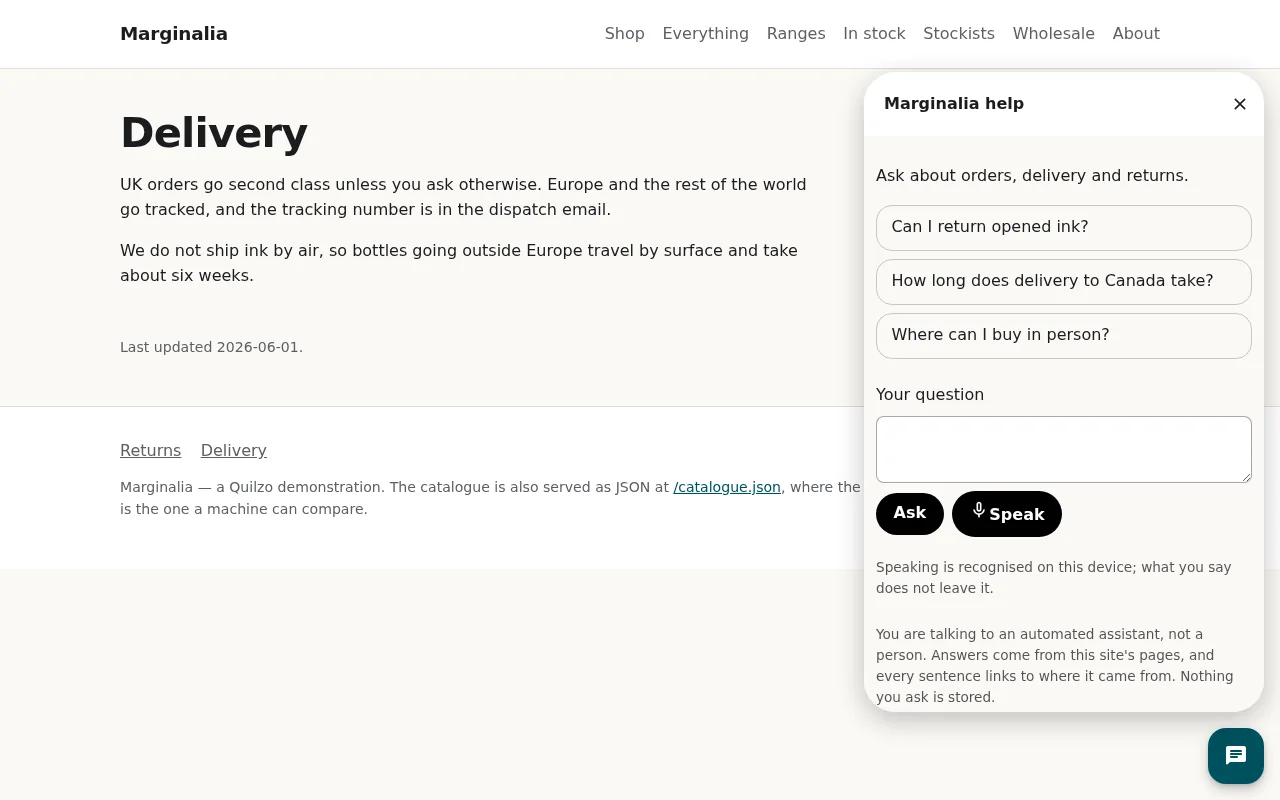
Speech is recognised on the visitor's device, and nothing they say leaves it. Translation uses the browser's on-device translator, so the answer is still the site's own words.
Hand the conversation to a person
With --handoff, a visitor can choose Talk to a person instead. Unlike questions to the chatbot, that conversation is kept, for 30 days after it last moves by default and 90 at most, and the visitor is told so before sending.
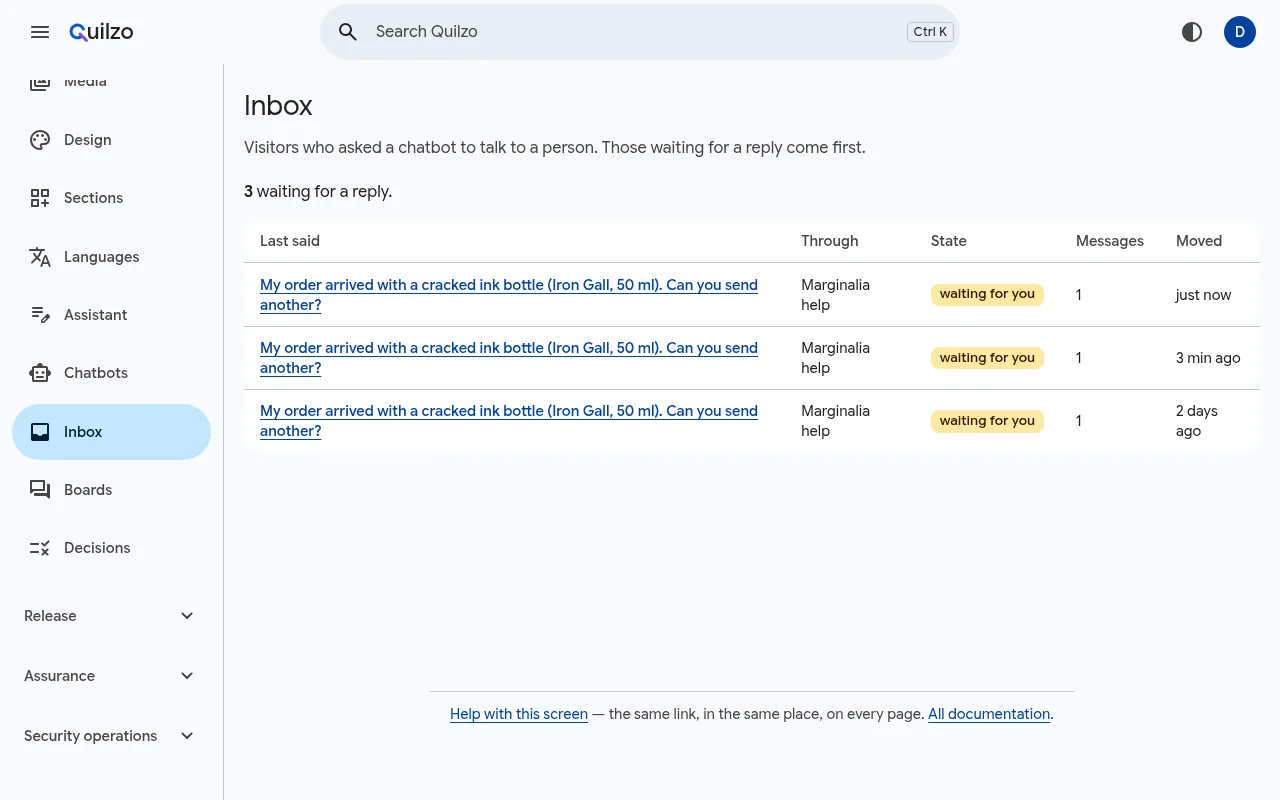
Answer from Content › Inbox, or:
quilzo inbox list
quilzo inbox reply help/ID "Sorry about that. A new bottle goes out today."
quilzo inbox close help/ID
Let it offer to do something
A chatbot can offer a link or a form, and never more. It proposes, the visitor chooses, and the form's own checks apply:
quilzo assistant action help wholesale --kind form --target wholesale \
  --description "Ask about wholesale prices" --fields name,email,message