A blog where every post keeps its address
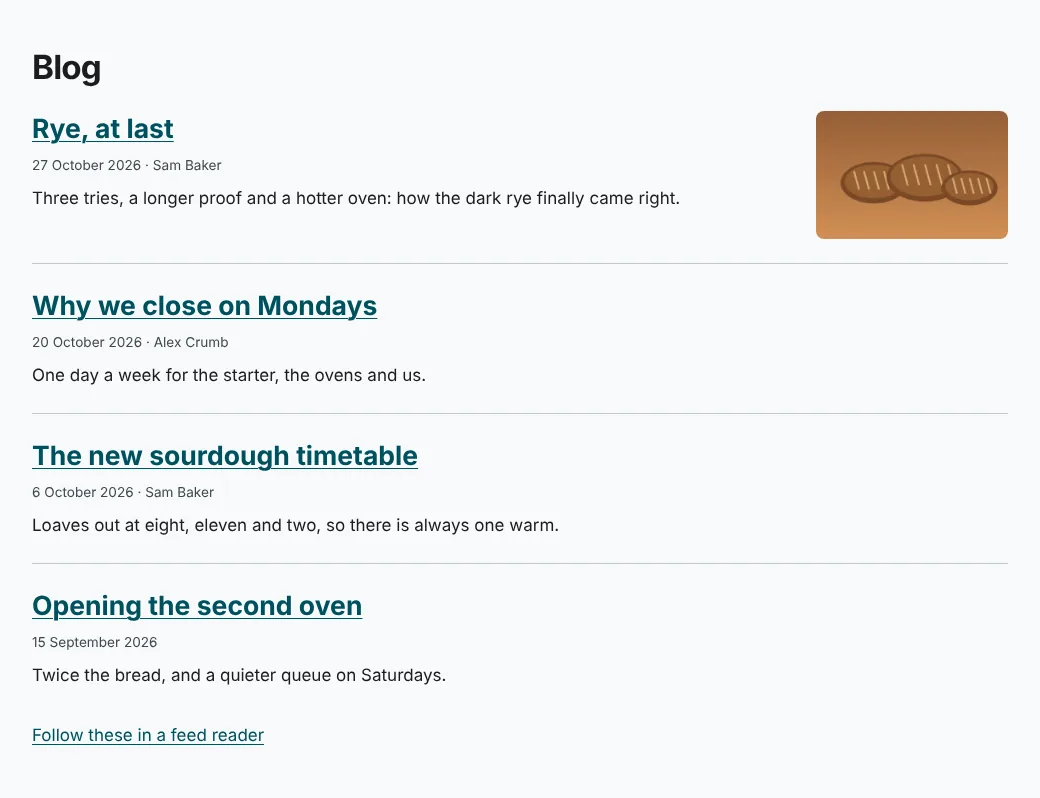
Write a post with its title, the day it went out and its words. The blog lists it newest first, gives it a page of its own that keeps working however many come after it, and puts it in the site's feed.
A blog is posts, newest first. Each post is a record with a title, the day it went out and what it says. The listing that site.blog names says which records are posts. From it come a posts section on any page, a page for each post, and the post's data for search engines. The site's feed follows the blog.
Set it up
On the Make screen, under Ready to add, choose Blog and Check it. Checking installs nothing: it shows what would be added, and you install it from there. Or run:
quilzo blog setup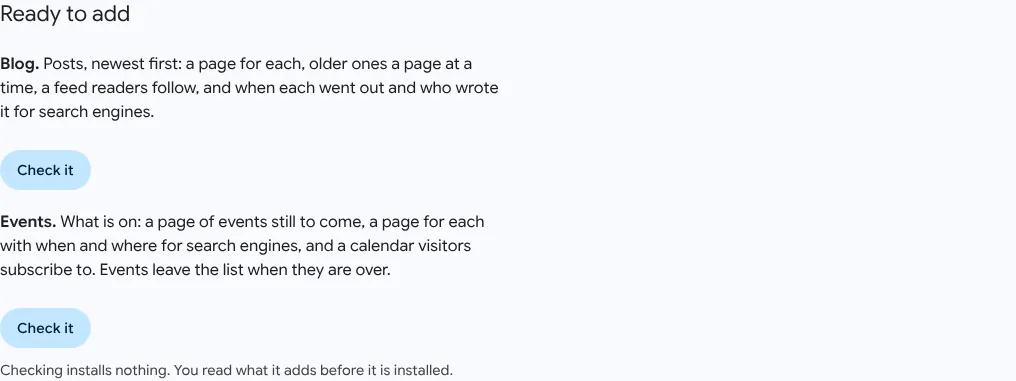
Both install one feature, as one decision on the record:
- a post type and a posts collection for it;
- a listing,
latest_posts, of the posts newest first; - a blog page with a posts section, and a post page that shows each post at
/post/its-page-link; site.blogset tolatest_posts, andsite.feedtoo when the site has no feed yet.
The pages are marked as written by Quilzo, so they publish like the rest. Removing the feature with quilzo feature remove blog takes back what it added and keeps the posts people wrote, and a feed that was the blog goes with it.
Write a post
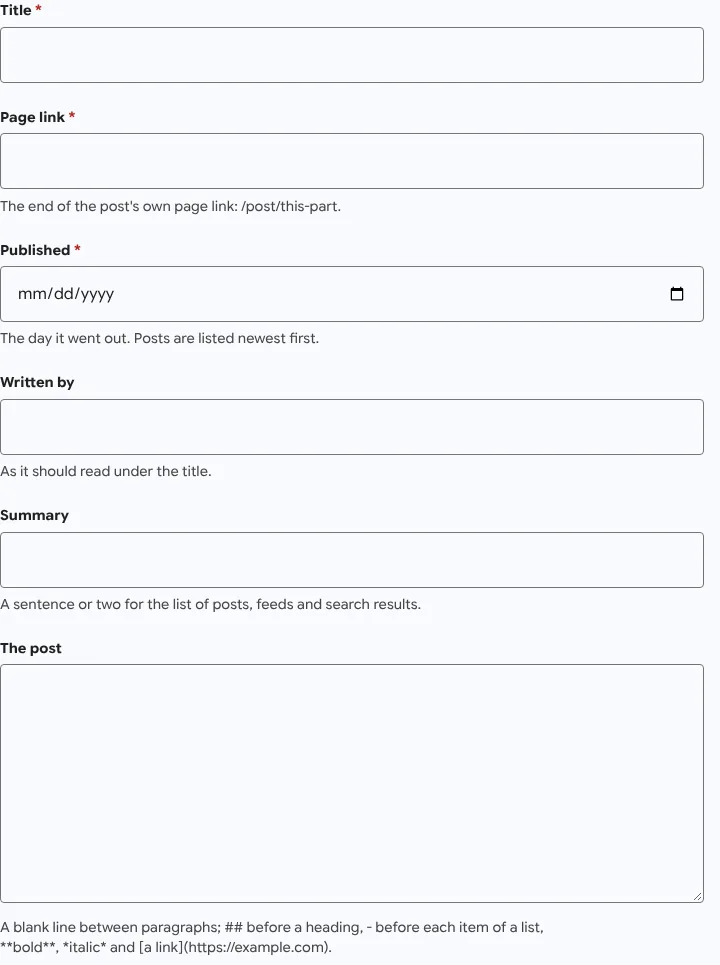
On the Data screen, open the posts collection. The form is the type's: a date picker for the day it went out, a box for the post itself, and for the picture a list of the library's pictures by what they show, so you type a word like rye and choose.
From the command line:
quilzo records add posts title="Rye, at last" slug=rye published=2026-10-27 byline="Sam Baker" tags='["rye","bread"]' body="The rye took three tries."Posts are content like any other: they reach readers when you publish.
| Field | What it holds |
|---|---|
| Title, Page link | Its title, and the end of its own page's address. Both are required. |
| Published | The day it went out. Posts are listed newest first by it. Required. |
| Written by | As it should read under the title. |
| Summary | A sentence or two for the list of posts, the feed and search results. |
| The post | Its words. A blank line between paragraphs; ## before a heading, - before each item of a list, **bold**, *italic* and [a link](https://example.com). A picture from the library goes on a line of its own, with what it shows: . |
| Picture | A picture from the media library, with what it shows. |
| Tags | Words a reader might look for it by, one on each line. |
| Last changed | When it was changed in a way a reader should know. The post says when it was updated. |
What readers see
A posts section can go on any page, in the page's editor or with quilzo section add PAGE posts. It shows the newest posts with when each went out, who wrote it and its summary, ten at a time unless you say otherwise. Older posts and Newer posts go back a page at a time to the first post ever written, at /blog?page=2 and on.
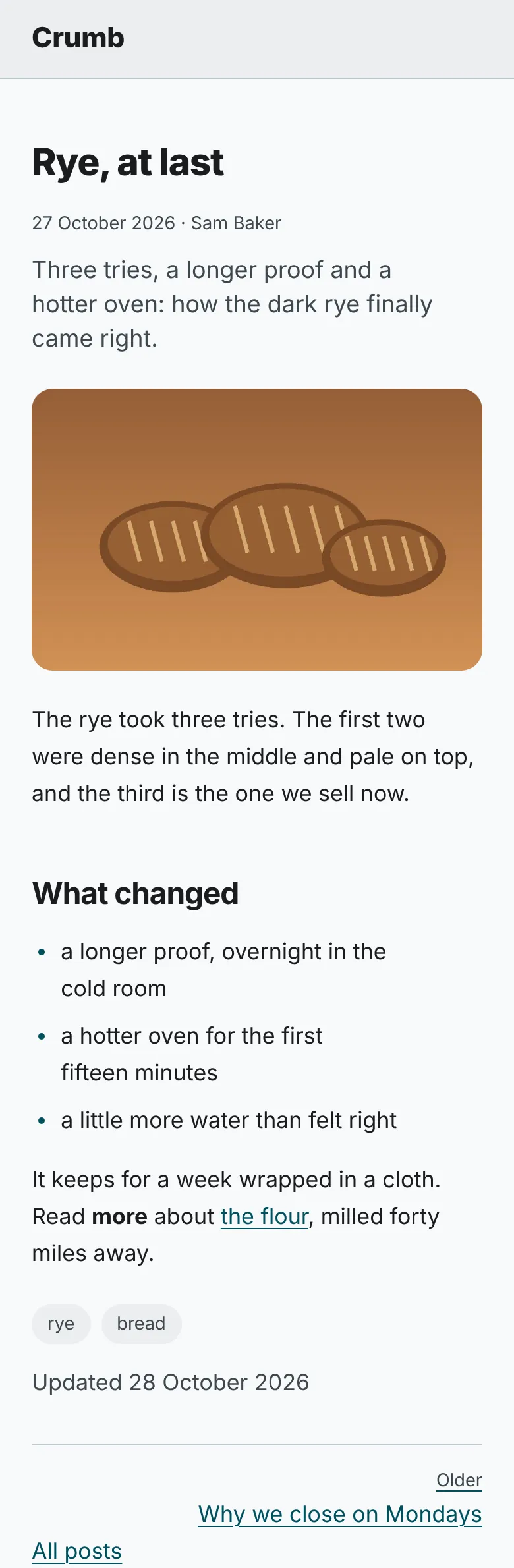
Each post has its own page, with its picture, its words, its tags, when it was updated, and links to the posts either side of it and back to the blog. Every post has its page however far back it is, and the sitemap lists each one, so a search engine finds them all.
Feeds
When site.feed names the blog's listing, as it does after setup on a site with no feed, the newest posts are at /feed.xml (Atom) and /feed.json (JSON Feed), and the posts section links to it. Every page names the feed in its head, where a feed reader looks for it.
Search engines
Each post's page carries schema.org BlogPosting data: its headline, when it was published and last changed, who wrote it, its picture, its tags and the site that published it. To whoever shares it, it is an article, with its summary as the description.
Agents
- Your site crew. Over MCP, an agent reads the posts with
run_listingonlatest_posts, writes one by writing a record to the posts collection withwrite_record, and sets a blog up on a site by proposing the packagequilzo blog exampleprints, withpropose_feature. A person installs it, and a person publishes. - From the command line.
quilzo blog listshows the newest posts at the live site. Add--jsonfor a program.
What it is, and is not
One blog per site, and posts that are records. A post appears when the site is published, and a post you are not ready to show stays out of the live site until then, as every draft does. Posts take no comments yet. To send a post to subscribers, write it as a page and send that as an issue (see Newsletter).
A site made before this version shows the posts section and each post's page only once it has the latest layout: choose your starter again under Design, or run quilzo template use sections --force. quilzo blog setup says so when it is needed.