Sign-ins: risky ones confirmed, lockouts and where they come from
A sign-in that does not look like its person waits until they prove it is them.
In the adminSign-ins
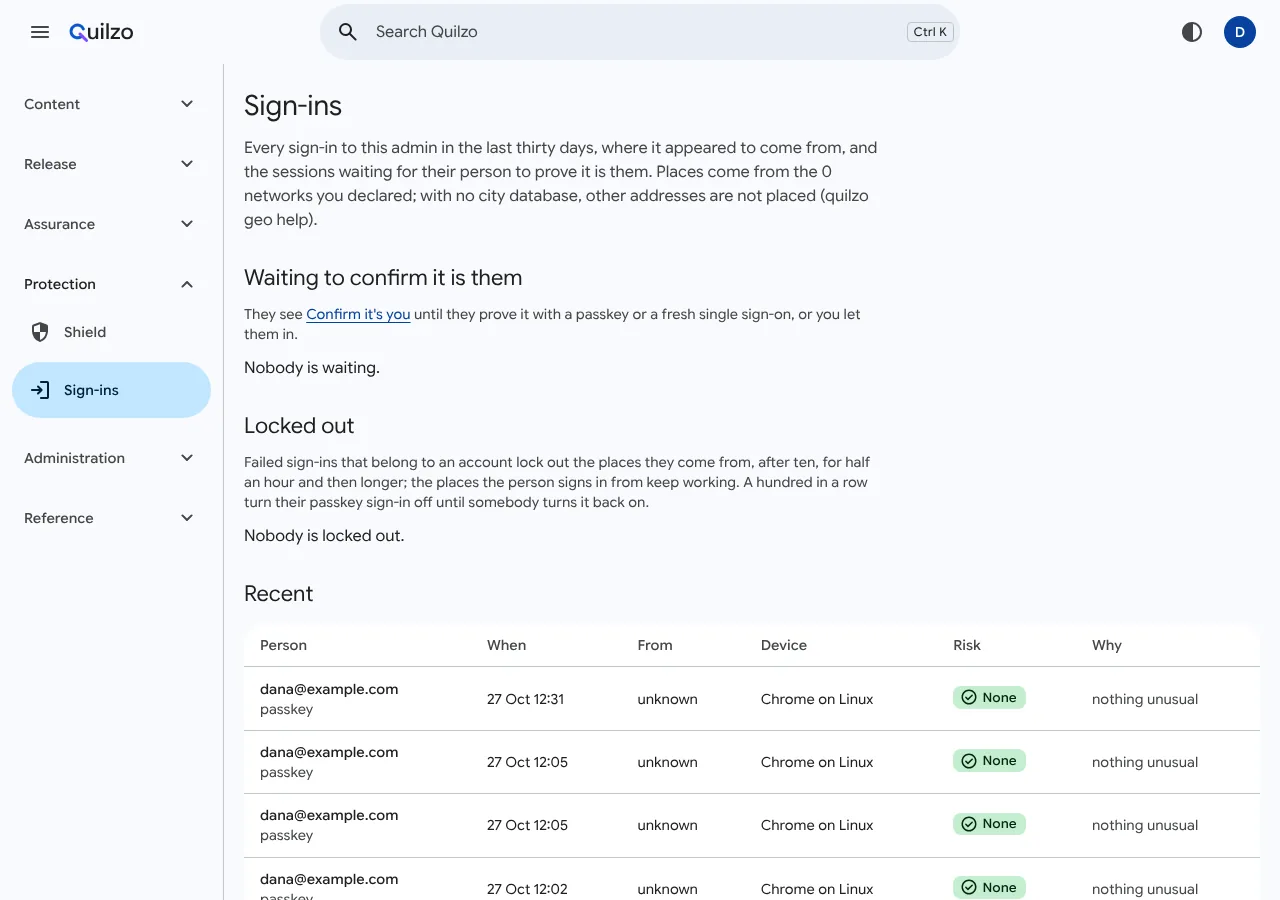
Protection › Sign-ins lists every sign-in to the admin in the last thirty days: who, when, where it appeared to come from, the device, how risky it looked and why. Above them are the sessions waiting for their person to prove it is them, and the people locked out.
A risky sign-in has to confirm it is its person
A sign-in is held when it shows any of these:
- travel no person could have made since their last sign-in;
- a session copied to another device or another country;
- Tor, or a hosting provider rather than a home or office network;
- an administrator in a country they have never signed in from;
- three unfamiliar things at once, such as a new device, a new network and a new country.
The session sees Confirm it's you, and nothing else, until its person signs in again with their passkey or with a fresh single sign-on. The security contact is mailed about the worst of them. This is the setting signin.adaptive (NIST SP 800-53 IA-10). It is on by default, and turning it off is a weaker setting, which takes two administrators.
If somebody did not just sign in, This wasn't me on the same page ends every session they hold and tells the security team. A person without a passkey can ask an administrator, who gives them a link that adds one (Passkeys), or who lets the session in from Sign-ins once they are sure. Nobody can let in their own session.
| To | On the screen | Or run |
|---|---|---|
| Let a waiting session in | Let them in | |
| End a waiting session | Sign them out | |
| Let somebody locked out sign in again | Unlock | quilzo auth unlock dana |
Lockout
Failed sign-ins that belong to an account lock out the places they come from: after ten, for half an hour, and longer each time after that. The places the person usually signs in from keep working, so somebody guessing at an account cannot lock its owner out. A hundred failures in a row turn the person's passkey sign-in off until an administrator turns it back on. See lockout for what the person sees.
Every way in is slowed per address too, and a throttled address slows only its failures: a right token or passkey from it still gets in. So behind a NAT, an office proxy or Docker's port publishing, where everybody arrives from one address, one person guessing locks nobody else out. After an attempt refused for trying too often, the sign-in page says Too many attempts and how long to wait; anybody else who opens it gets the form.
A passkey used from two places
A passkey's signature counter only goes forward. One that went back means the credential exists in two places, so the sign-in is refused, recorded as passkey.counter-refused with the account and the key, and raises the passkey-cloned sign-in signal, rated high. It tells the security contact that the key should be removed and registered again. The key is not removed by itself: removing it stays its person's act, on their Passkeys screen.
From the identity provider
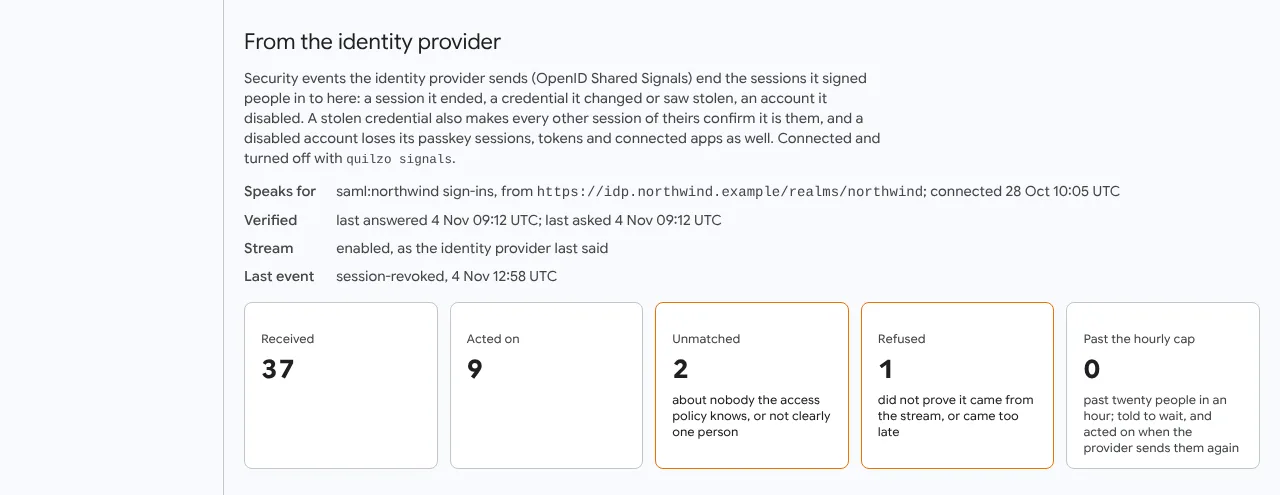
When the identity provider sends its security events here (see when the identity provider ends a session), this panel says whether they arrive and what came of them. With no stream connected, it says how to connect one: quilzo signals connect, with --client-id and the secret in QUILZO_SIGNALS_SECRET, or --jwks URL for a stream made in the provider's own console.
| Row | Says |
|---|---|
| Speaks for | The sign-ins whose sessions its events end, oidc or saml:NAME, the provider, and when it was connected |
| Verified | When the provider last answered a verification and when one was last asked for; silent when it has not answered for a day; cannot be asked for a stream made in the provider's console |
| Last request | Why the last request for a verification failed, when it did |
| Stream | Enabled, paused or disabled, as the provider last said |
| Last event | Its kind and when it came |
Below them are the counts: Received; Acted on; Unmatched, about nobody the access policy knows; Refused, which did not prove they came from the stream or came too late; and Past the hourly cap, told to wait and acted on when the provider sends them again. quilzo signals status says the same.
Where sign-ins come from
Name your offices and VPNs first, so a sign-in from them reads as yours:
quilzo geo network add 203.0.113.0/24 London --kind office
quilzo geo network add 198.51.100.0/24 "Staff VPN" --kind vpn
quilzo geo status
Other addresses are placed from a city database you download once: DB-IP's free IP to City Lite, in MMDB form, at .quilzo/geo/city.mmdb. Beside it, DB-IP's IP to ASN Lite names the network, so a hosting provider can be told from a home connection, and the Tor Project's exit list, refreshed daily, marks Tor. Quilzo never fetches any of them, and no lookup leaves the machine. quilzo geo help says where each comes from.
Every decision is in the audit log. Stream the log to your SIEM as it is written (see the audit log, streamed), and a risky sign-in, one its person reported, and repeated failures and lockouts reach the security team's own tools as well.