A newsletter whose every reader asked for it
A page takes sign-ups, each address says yes from its own inbox, and an issue is a page you have published, sent to everybody who did.
In the adminNewsletter
The newsletter is the site's mailing list: the addresses that asked for it and confirmed, and the issues sent to them. An issue is a published page, sent as mail. A newsletter section on any page takes sign-ups.
Before you start
Two settings, both on the Settings screen or the command line:
- Mail. Your relay in
mail.json: its host and port and the address issues come from. Quilzo only sends over an encrypted connection. The relay should sign mail with DKIM for your domain, which is what lets a mail app trust its unsubscribe button. - The site's address.
site.base_url, startinghttps://. Every link in an issue points there, and the one-click unsubscribe has to be https.
Until both are set, a newsletter section says sign-ups are not taken, and the Newsletter screen says what is missing.
Taking sign-ups
Add a newsletter section to a page, in the page's editor or with quilzo section add PAGE newsletter. Give it a title and a line saying what readers get and how often. That line is what each address is recorded as agreeing to.
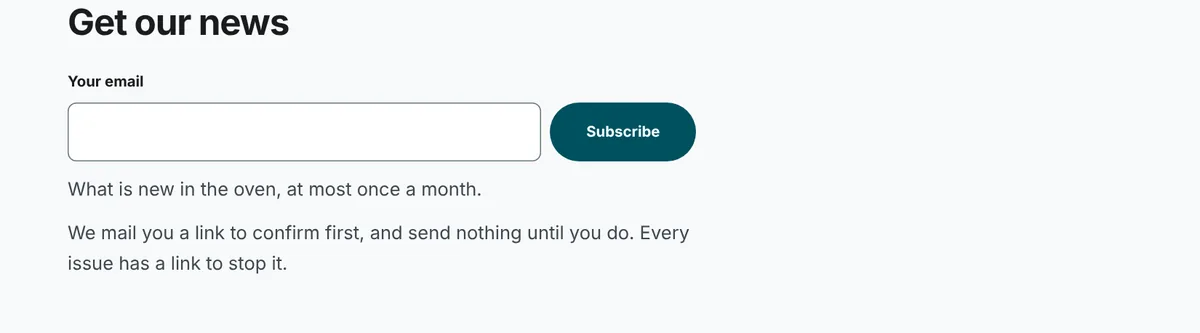
Signing up mails the address one link. The page the link opens has a button, and nothing else is sent until it is pressed. A button rather than the link alone, because mail filters open links to look at them, and a filter is not a person saying yes.
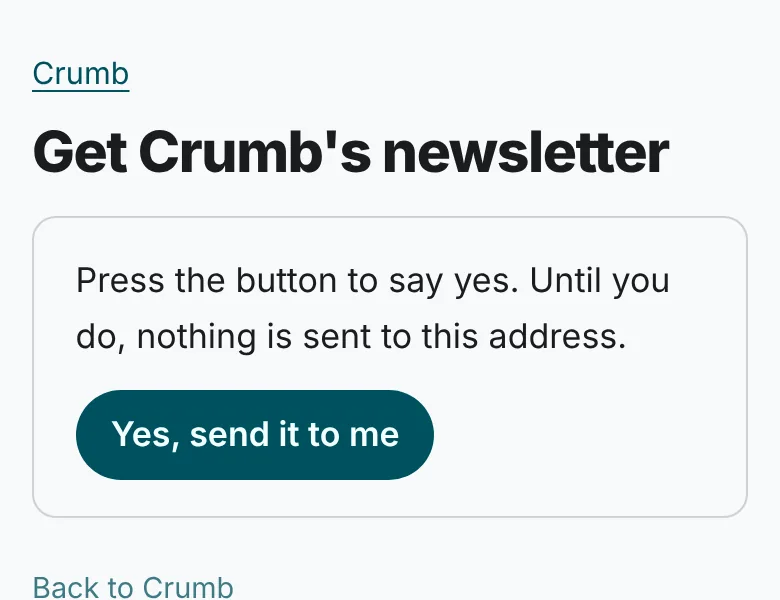
- An address that never presses it is forgotten after a week.
- One inbox is mailed a link at most once an hour, however its address is spelled: with a
+tag, or with dots moved about in a Gmail address. The whole site mails at most 200 an hour, so the form cannot be used to fill somebody's inbox. - The page says the same thing whether or not the address was already subscribed, so the form tells nobody who is on the list.
Sending an issue
Write the issue as a page and publish it. Then, on the Newsletter screen, choose the page, send yourself a test, read it, tick the box and send it. Or from the command line:
quilzo newsletter test october --to you@example.com
quilzo newsletter send october --yes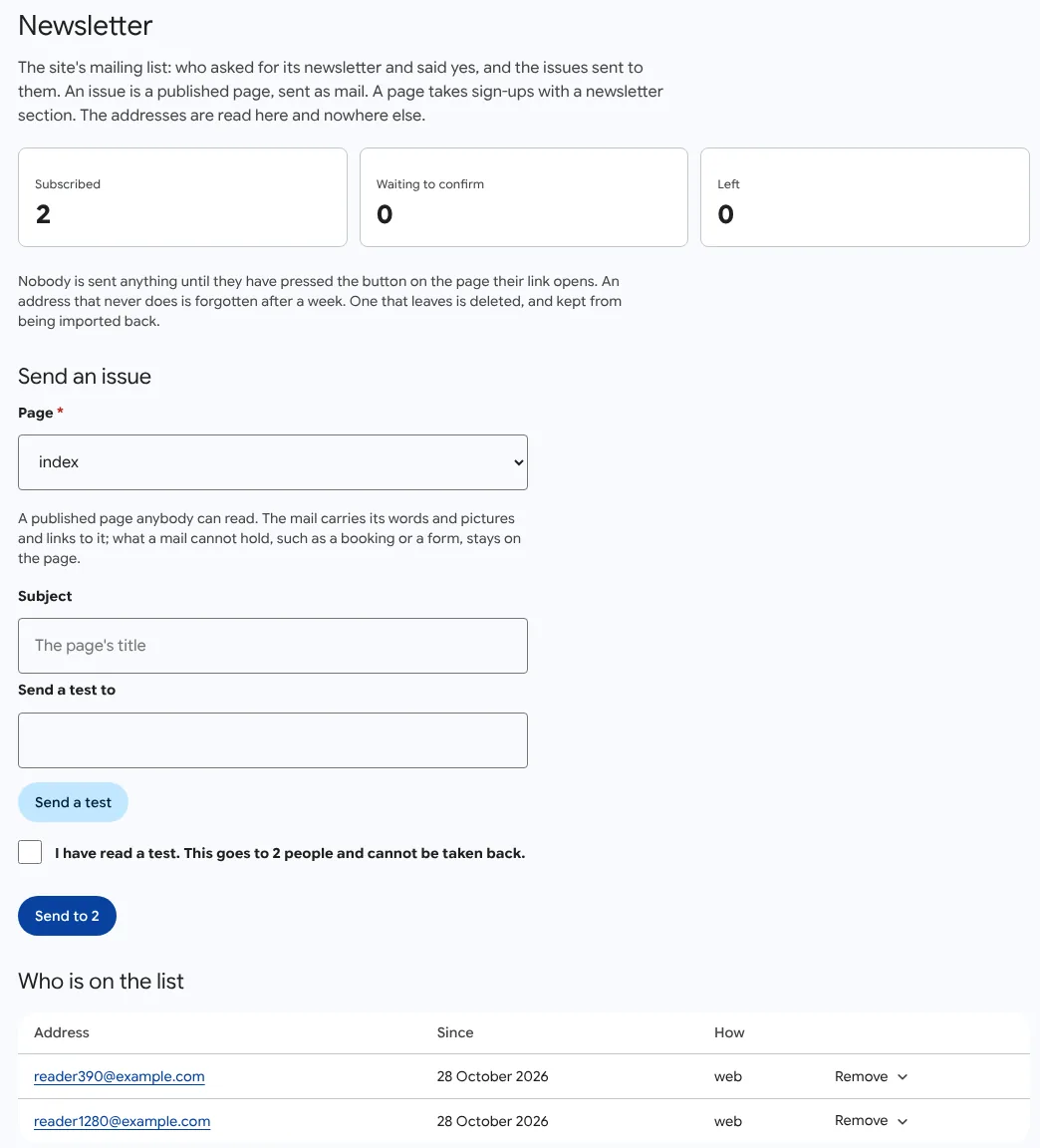
The page becomes mail by its words, in the order a visitor reads them: title, lead, picture, text, then each section's heading, paragraphs, items and buttons, in your site's colour. It is sent as plain text and as a simple page, so every mail app shows it. What a mail cannot hold, such as a booking or a question box, stays on the page, and the mail says so and links to it.
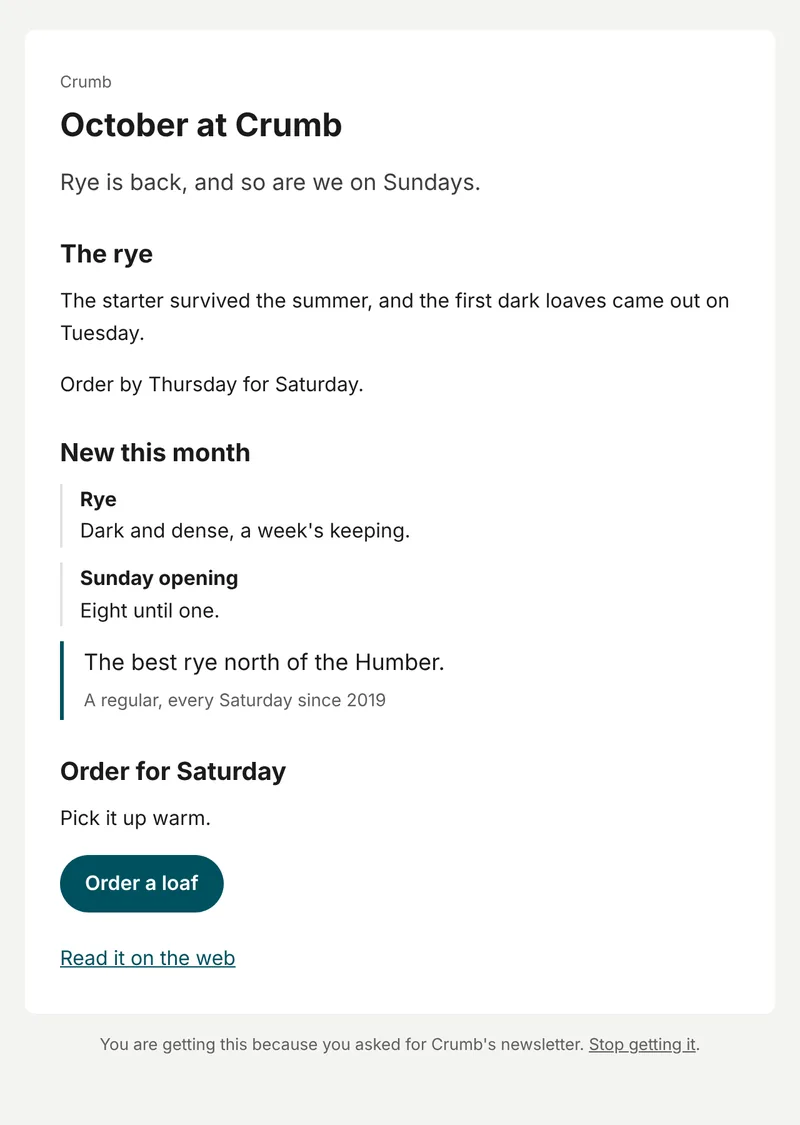
Each address gets its own message, never a list in copy. Sending is paced and written down address by address. If it stops, because the relay failed or the program was stopped, Carry on (or quilzo newsletter send --issue ID --yes) goes on from there, and nobody gets an issue twice. Five refusals from the relay in a row stop a send and say why.
Leaving
Every issue ends with a link to stop it. It also carries the List-Unsubscribe and List-Unsubscribe-Post headers of RFC 8058, which Gmail, Apple Mail, Outlook and Yahoo turn into their own unsubscribe button. That button ends the subscription with one request, with no page to find and nothing to fill in.
An address that leaves is deleted. Quilzo keeps only a keyed fingerprint of it, so an old list imported again cannot put it back. Signing up again on the site, and confirming, is the one way back. You can also remove an address yourself on the screen, or with quilzo newsletter remove ADDRESS, for somebody who asks you directly.
Bringing a list, and taking it elsewhere
| To | On the screen | Or run |
|---|---|---|
| Bring the list from Mailchimp, Substack, Ghost, MailPoet, Buttondown or most others | Bring a list from another service, with where they agreed | quilzo newsletter import FILE.csv --agreed "…" |
| Take the list to any other service | Download the list | quilzo newsletter export |
| Ask one person, who joins when they say yes | Ask somebody | quilzo newsletter add ADDRESS |
An import finds the columns by their names, as each service writes them. People it adds count as having said yes, and where they agreed is kept as the record of it, so say truthfully where that was. Anybody the file marks as unsubscribed, bounced or complained is kept as having left, and never sent anything. Somebody already subscribed here is never taken off by an older list. The export is plain CSV: address, name, when they joined, when they confirmed, and what they agreed to. It goes through the one guard every CSV Quilzo writes goes through, the address included, so a value that begins like a formula is not run by the spreadsheet that opens it. Importing the file again takes the guard back off.
Who can see the addresses
The public site writes a sign-up, writes that it was confirmed, and deletes an address that leaves. It never reads an address back. The links in mail are keyed with a secret the public site can read and cannot change, so checking a link reads nothing either. The addresses are read on the Newsletter screen and with quilzo newsletter list, by whoever may read what forms collect. Sending an issue and importing a list take whoever may publish.
The shield can turn sign-ups off for a while, and a visitor is told that signing up is not available and to try again later:
quilzo shield feature newsletter --for 1h --reason "a flood of sign-ups from one network"Sign-ups are judged by the same bot check as forms and bookings (see Forms).
The audit log records that somebody signed up, confirmed or left, and that an issue was sent and to how many, never which address. Webhooks can be told subscribed and unsubscribed (see Integrations), with no address.
Agents
- Your site crew. An agent can write the issue as a page, and over MCP propose it with
propose_issue. It waits on the Newsletter screen, and a person sends it after reading a test.newsletter_statusshows an agent how many have subscribed and what was sent, never an address. - Your visitors' agents. A visitor's browser agent is offered the sign-up form as a tool (see Visiting agents). It fills in the address, and the visitor sends it and confirms from their own inbox.
What it is, and is not
One list per site, and issues that are pages. Segments, scheduled sends, automated sequences, paid subscriptions, and open and click tracking are not here; tracking pixels and rewritten links are exactly what a reader cannot see and did not ask for. A site that needs those needs an email marketing service, and the export takes the list there.
A site made before this version renders the newsletter section only once it has the latest layout: choose your starter again under Design. A store a service manager keeps read-only needs quilzo site --prepare run once after upgrading, to make the newsletter's directory and key. Until then the site runs with sign-ups off, and says so.